Here's a test. When a new customer signs up, how many times does someone type their details into a different system — the CRM, the accounting software, the mailing list, the spreadsheet? If the answer is "more than once," your tools don't talk to each other, and you're paying a quiet tax on it every single day. The good news: it's very fixable.
The hidden cost of disconnected tools
Most businesses don't buy their software all at once. They add a CRM here, accounting there, an e-commerce platform, a support inbox, a marketing tool — each bought separately to solve a separate problem. Individually they're great. Together, unconnected, they create data silos: the same information trapped in different places, kept in sync by people copying and pasting.
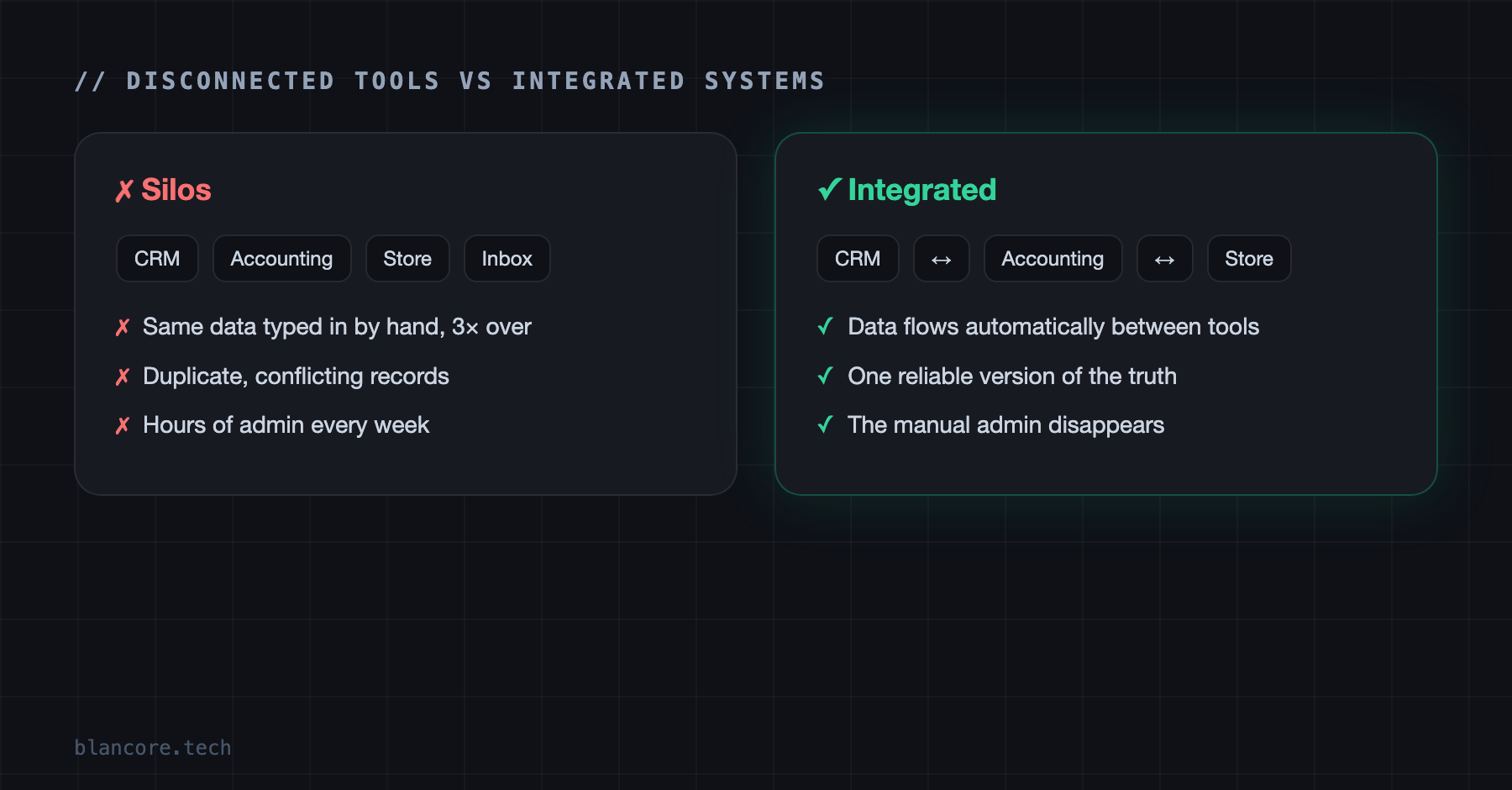
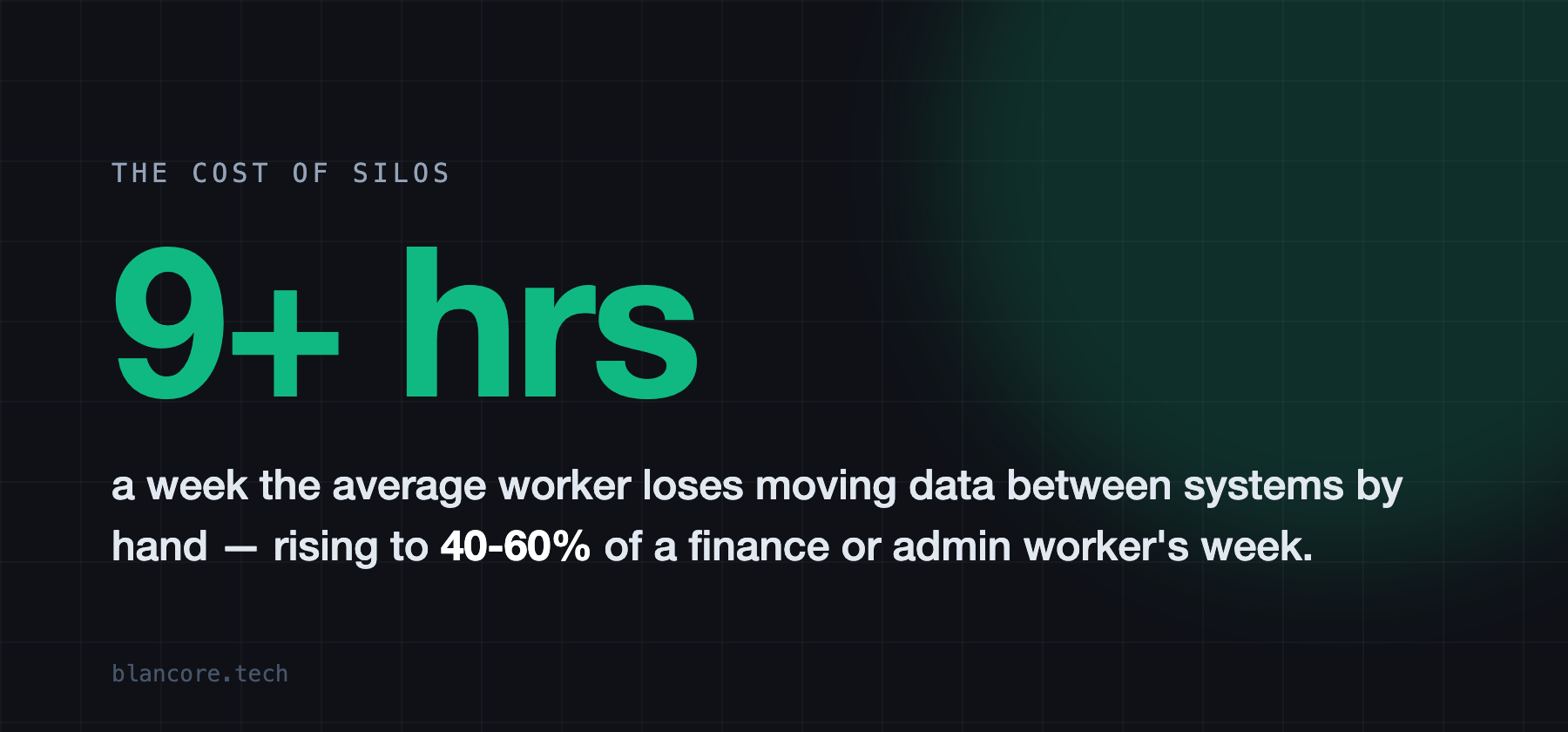
That manual bridging is expensive in ways that don't show up on any invoice: hours of re-keying every week, duplicate and conflicting records, avoidable mistakes, and slower responses to customers because the right information is in the wrong place. It's death by a thousand copy-pastes.
Why don't they just talk to each other?
Because nobody told them to. Each tool stores data its own way and, by default, keeps to itself. Connecting them is a deliberate act — integration — and until someone does it, your team is the integration: the human glue moving data from one screen to another.
How integration actually works
There are three main routes, from simplest to most robust:
- APIs and webhooks. The official doors most modern tools provide for sharing data. An API lets one system ask another for information; a webhook lets a system announce "something just happened" so the others can react. This is the backbone of proper integration.
- Integration platforms (iPaaS). Tools like Zapier or Make let you connect popular apps with simple "when this, then that" rules — great for straightforward flows and quick wins, with limits as complexity and volume grow.
- Custom middleware. For anything complex, high-volume, or business-critical, purpose-built connectors give you reliability, error handling, and control that off-the-shelf automation can't. This is the heart of our web integration work.
The connections most UK businesses need
You don't integrate everything at once. The usual high-value connections are:
- Website / forms → CRM, so enquiries land as leads automatically instead of in an inbox.
- CRM → accounting (Xero, Sage, QuickBooks), so a won deal becomes an invoice without re-typing.
- E-commerce → everything (Shopify and friends), so orders update stock, finance, and customer records at once.
- Marketing ↔ CRM, so campaigns and sales share one view of each customer.
Where AI fits in
Integration moves your data to the right place. AI then does something intelligent with it once it's there.
Once your systems are connected, the door opens to genuine AI automation — reading and routing the incoming data, drafting responses, flagging anomalies. But the order matters: connect first, automate second. Trying to bolt AI onto a pile of disconnected tools just automates the chaos. If that's the goal, our guide to what AI automation is is a good companion read.
How to approach it without boiling the ocean
Start where it hurts most. Map the moments your team re-types the same data, and pick the one connection that costs the most time or causes the most mistakes. Fix that first, measure the hours it gives back, then move to the next. A staged approach turns a daunting "connect everything" project into a series of quick, provable wins — and each one usually pays for itself before the next begins.
Whether the right tool is a simple iPaaS flow or proper custom middleware depends on your systems and how much reliability you need — the same build-vs-buy judgement we cover in custom software vs off-the-shelf. If you're not sure where to start, mapping your tools is a good first conversation to have.
Sources & further reading
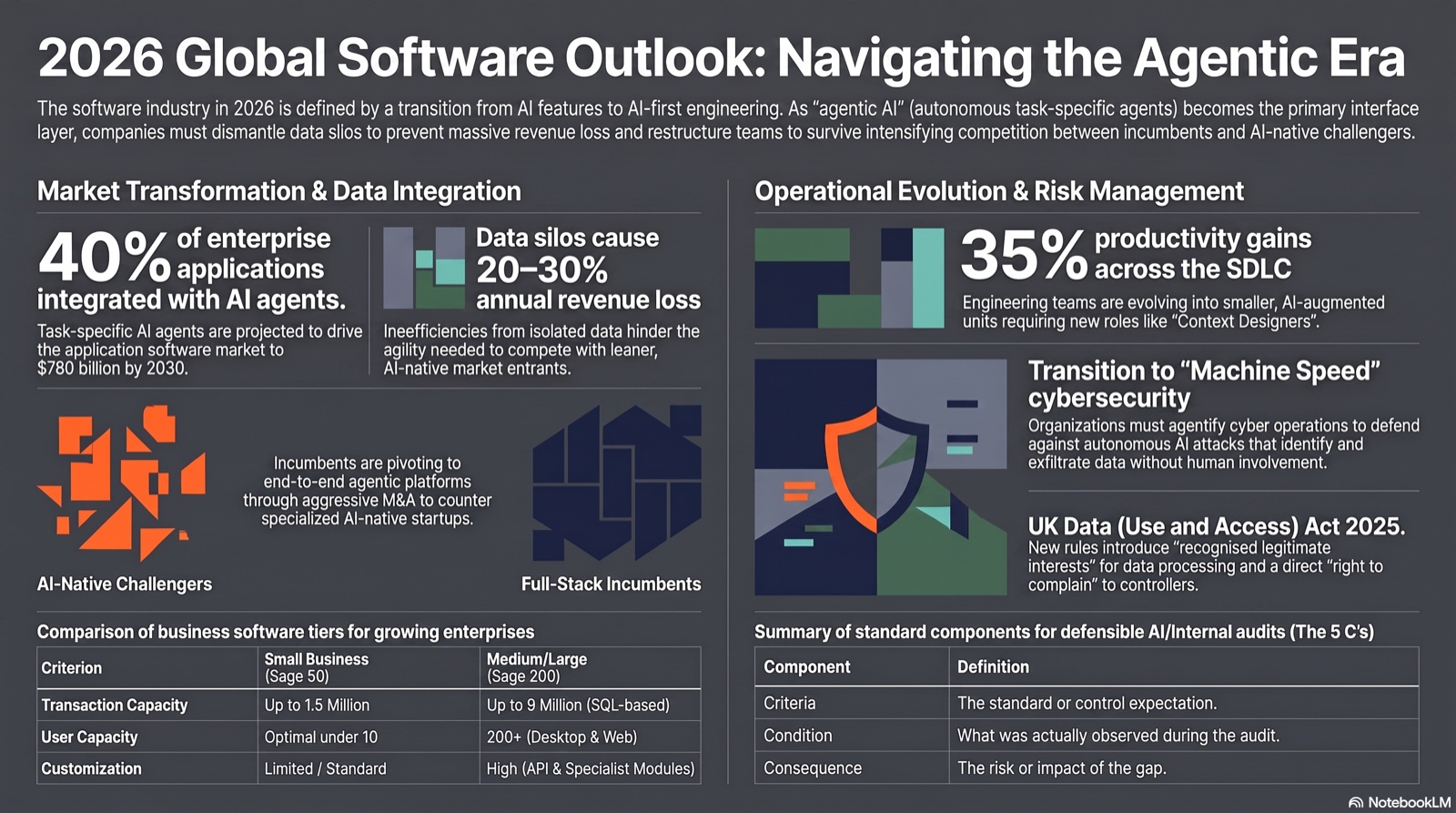
Figures on data entry and SaaS sprawl are from widely-reported industry surveys and are indicative; your savings depend on how much data is currently re-keyed. For data-protection duties when moving data between systems, see the ICO.
Frequently asked questions
Keep reading
Have a project in mind?
Tell us what you're trying to solve and we'll come back within 24 hours — no hard sell.
Start a Conversation